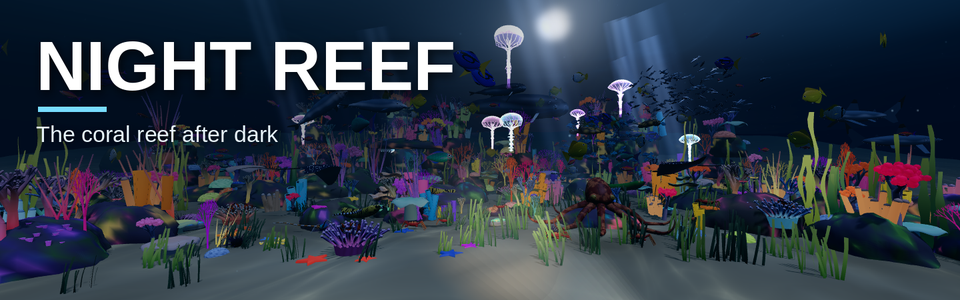
Night Reef
NIGHT REEF — full description
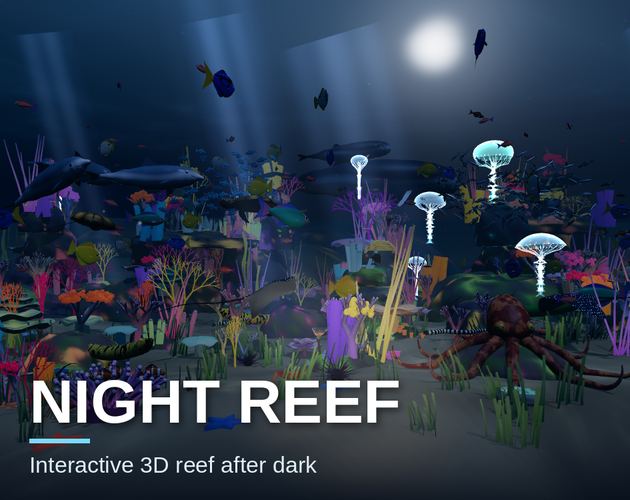
The reef after dark. Moonlight shimmers through the surface, corals glow with fluorescent colour, and your mouse becomes a diver's torch that brings the reef's true colours back wherever you point it.
This is not a game. There is no purpose, no goal and nothing to win. No points, no levels, no timers, no way to lose. You don't have to do anything at all. It's simply a quiet, interactive space to wind down in: drift your torch across the reef, watch the jellyfish glow, and let the day fall away. Perfect for the evening, a calm break, or a peaceful screensaver.
WHAT'S DIFFERENT AT NIGHT
- A dive torch that follows your mouse, and sweeps the reef on its own when you're idle
- Glowing jellyfish pulsing through the water
- Fluorescent corals, anemones and giant clams
- Bioluminescent plankton that sparkles in the wake of dolphins, sharks, turtles and your cursor
- Moonbeams and a moon shimmering through the rippling surface
WHO LIVES HERE
- Clownfish nestled in glowing anemones
- Dolphins, reef sharks, eagle rays and sea turtles
- A humpback whale and calf gliding through the dark distance
- Moray eels, banded sea snakes, crabs and spiny lobsters
- A curious octopus that changes colour and squirts ink when startled
- Tangs, parrotfish, butterflyfish, anthias and a big silver school
HOW TO PLAY
- Move the mouse to sweep your torch and stir the water
- Hold still and the fish come closer
- Click to drop food
- Swipe past the octopus to make it ink
- Press F for full screen
USE IT AS YOUR SCREENSAVER The browser version here is free to try. To use Night Reef as your screensaver, buy the download on this page. You get the night-reef.html file and can set it up on Mac, Windows or Linux with the steps below.
Mac
- Unzip the download and move night-reef.html somewhere permanent, like your Documents folder.
- Install the free WebViewScreenSaver app: github.com/liquidx/webviewscreensaver (or run brew install --cask webviewscreensaver in Terminal). If macOS blocks it, go to System Settings > Privacy & Security and click Open Anyway.
- Open System Settings > Screen Saver, choose WebViewScreenSaver and click Options.
- Replace the address with the file's location, for example file:///Users/YOURNAME/Documents/night-reef.html Tip: right-click the file in Finder, hold Option, choose "Copy as Pathname", and put file:// in front.
Windows
- Unzip the download and move night-reef.html to a permanent folder, like Documents.
- Install the free Lively Wallpaper app (livelywallpaper.app or the Microsoft Store).
- In Lively, click the + button and choose night-reef.html.
- Open Lively's Settings > Screensaver and set it up with the reef. If you installed Lively from the Microsoft Store, Lively needs to stay running in the background.
Linux (X11 with XScreenSaver or XFCE)
- Unzip the download and move night-reef.html to a permanent folder, like ~/reef.
- Install webscreensaver: github.com/lmartinking/webscreensaver On Ubuntu/Debian, first run: sudo apt install python3 python3-gi gir1.2-webkit2-4.1 gir1.2-gtk-3.0
- Copy webscreensaver into /usr/libexec/xscreensaver/ and add this line to the programs list in ~/.xscreensaver: webscreensaver -url file:///home/YOURNAME/reef/night-reef.html
- Choose it in your screensaver settings. Note: this doesn't work on GNOME or Wayland. There, open the file in your browser and press F11.
Any computer: open night-reef.html in Chrome, Firefox, Edge or Safari and press F for full screen. This is also the fully interactive version, because moving the mouse closes a screensaver.
Moving the mouse ends any screensaver, so in screensaver mode the reef plays on its own, with the torch sweeping slowly across the coral.
Prefer the sunlit reef? Dive into the daytime version in Reef Tank: [https://futurevisiongames.itch.io/reef-tank]
Purchase
In order to download this game you must purchase it at or above the minimum price of $1.99 USD. You will get access to the following files:
Leave a comment
Log in with itch.io to leave a comment.